Best Capture Cards in 2026: My Honest Picks After Years of Streaming Fails
Here’s a fun stat for you — over 70% of new streamers quit within the first three months because their setup frustrates them. I was almost one of them. Back in 2022, I bought the cheapest capture card I could find on Amazon, plugged it into my PS5, and the lag was so brutal my viewers thought I was playing in slow motion. That was the moment I realized picking the right capture card actually matters way more than people think!
Whether you’re streaming gameplay, recording content for YouTube, or even capturing retro console footage, a solid capture card is the backbone of your setup. So let me walk you through the best capture cards I’ve personally tested, and a few I wish I’d known about sooner.
What Even Is a Capture Card?
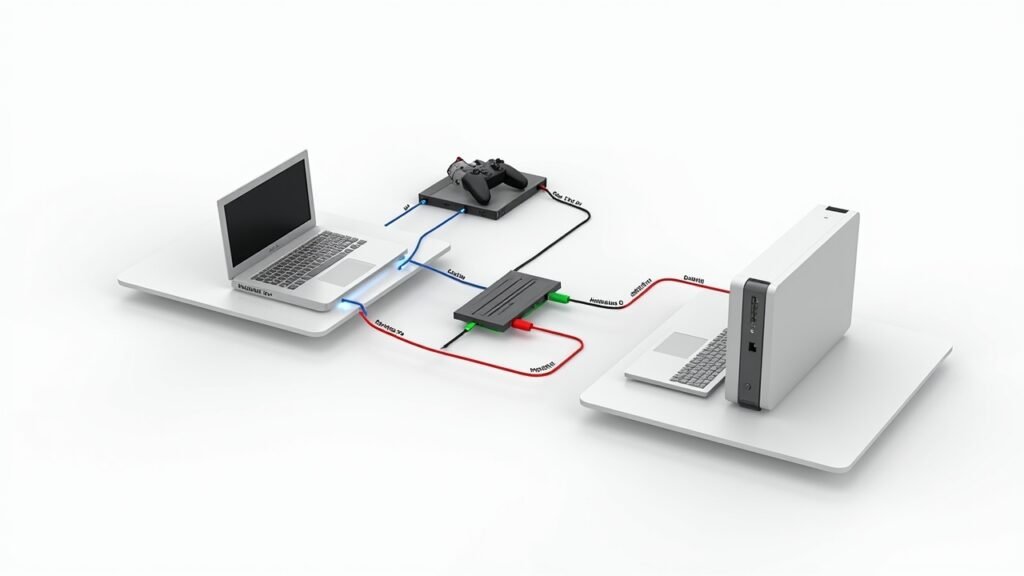
Okay, quick aside for the uninitiated. A capture card is a device that takes video output from a source — like a gaming console or camera — and feeds it to your computer for recording or streaming. Without one, you’re basically stuck with the built-in tools on your console, which are honestly pretty limited.
There are two main types: internal (PCIe cards that go inside your desktop) and external (USB devices that work with laptops too). I’ve used both, and each has its place depending on your setup.
Elgato HD60 X — The One I Always Recommend First
Look, there’s a reason the Elgato HD60 X keeps showing up on every “best capture cards” list. It supports 4K30 passthrough and 1080p60 capture, which is more than enough for most streamers. I’ve been using mine for about a year and a half now, and it’s been rock solid.
The setup was stupid easy too. Plug in the HDMI cables, connect the USB-C to your PC, open OBS, and you’re pretty much good to go. My only gripe is that 4K60 passthrough isn’t supported, but honestly for the price point, I ain’t complaining.
AVerMedia Live Gamer Ultra 2.1 — For the 4K Crowd
Now if you absolutely need 4K60 HDR passthrough, the AVerMedia Live Gamer Ultra 2.1 is where it’s at. This thing handles HDMI 2.1, which means it’s basically future-proofed for next-gen consoles. I borrowed one from a buddy last summer and was genuinely impressed.
It’s pricier than the Elgato, no doubt. But the video quality was noticeably cleaner during my test streams, and the VRR support meant no screen tearing during fast-paced gameplay. If your budget allows it, this card is a beast.
Elgato HD60 S+ — The Budget-Friendly Classic
Sometimes you don’t need the latest and greatest. The HD60 S+ has been around for a while, and you can usually snag one on sale for under $150. It was actually my first “real” capture card after that disastrous cheap one I mentioned earlier.
It handles 1080p60 capture and 4K60 HDR passthrough, which honestly surprised me at this price. The build quality feels solid and it works flawlessly with both OBS Studio and Streamlabs. For beginners, this is the sweet spot between performance and affordability.
Internal Pick: Elgato 4K60 Pro MK.2

If you’ve got a desktop with a free PCIe slot, the 4K60 Pro MK.2 is an absolute monster. I installed one in my streaming rig last year and the difference was immediately noticeable — virtually zero latency and buttery smooth 4K60 capture.
Installation was a bit intimidating at first, not gonna lie. But it’s really just popping open your case and slotting it in like a GPU. Once it’s in there, you forget about it completely, and that’s kind of the whole point.
Quick Comparison
- Best overall: Elgato HD60 X
- Best for 4K: AVerMedia Live Gamer Ultra 2.1
- Best budget: Elgato HD60 S+
- Best internal: Elgato 4K60 Pro MK.2
Find Your Perfect Setup
At the end of the day, the best capture card for you really depends on your budget, your goals, and what hardware you’re already working with. Don’t overbuy if you’re just starting out — but also don’t cheap out like I did that first time. Trust me on that one.
Take the time to match the card to your specific streaming or recording needs, and always double-check compatibility with your console and software. For more tech guides, gear reviews, and honest recommendations, head over to the Voltzora blog — we’ve got plenty more where this came from!