So here’s the thing – I spent like three years typing on this crusty old membrane keyboard that came free with my computer, thinking I was being smart by saving money. Then one random Tuesday, my buddy Mike brought over his mechanical keyboard to my place, and honestly? My whole world changed. I’m not even being dramatic here!
Look, I know what you’re thinking. “It’s just a keyboard, dude.” But after switching between both types for the past couple years – and making some pretty expensive mistakes along the way – I’ve learned there’s actually a ton of difference between mechanical and membrane keyboards that nobody really talks about.
What Even Are These Things?
Okay, so let me break this down real quick. A membrane keyboard is basically what most of us grew up with – it’s got this rubber dome underneath each key that squishes down when you press it. They’re super common because they’re cheap to make and they get the job done.
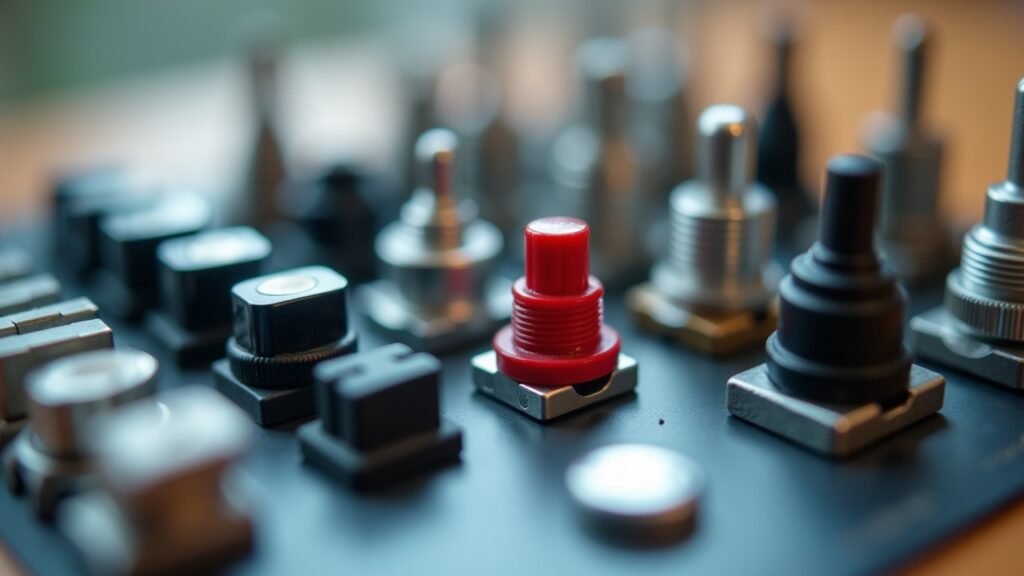
Mechanical keyboards, on the other hand, have individual switches under each key. Each switch has its own spring and mechanism, which honestly sounds fancy because it kinda is. Cherry MX switches are probably the most famous ones, but there’s like a million different types now.
The Feel Factor (And Why I Was So Wrong)
Here’s where I messed up initially. I thought all keyboards felt basically the same, right? Wrong. So, so wrong.
With membrane keyboards, you gotta press the keys all the way down to register a keystroke. It’s mushy, kinda like typing on slightly stale marshmallows (weird comparison, I know). There’s no real feedback, and after a few hours of typing, my fingers would get tired because I was basically bottoming out with every single keypress.
Mechanical keyboards though – they’ve got this thing called an actuation point. You don’t have to smash the key all the way down! The keystroke registers partway through, which means less finger travel and way less fatigue. I remember the first time I tried typing on Mike’s keyboard with Gateron Brown switches, and it was like… I don’t know, my fingers just danced across the keys?
The Sound Situation
Now, let’s talk about noise because this is super important. Membrane keyboards are pretty quiet – they make this soft “thunk” sound that’s barely noticeable. Perfect if you’re in a library or whatever.
Mechanical keyboards can be LOUD. Like, annoying-your-roommate-at-2am loud. But here’s the catch – it depends on the switch type! Linear switches like Cherry MX Reds are actually pretty quiet, while clicky switches like Blue switches sound like you’re typing on a tiny typewriter. I learned this the hard way when I bought Blues for my home office and my wife literally banned me from using them during her Zoom calls.
Durability and Longevity (Where Things Get Interesting)
This is where mechanical keyboards really shine, honestly. Most membrane keyboards are rated for about 5 million keystrokes total. That sounds like a lot until you realize heavy typists can blow through that in a couple years.
Mechanical switches? They’re usually rated for 50-100 million keystrokes per key. That’s insane! I’ve had my current mechanical keyboard for four years now, typing probably 6-8 hours daily, and it still feels brand new. Meanwhile, I went through three membrane keyboards in the same timeframe before I switched.
Plus – and this is pretty cool – if a switch dies on a mechanical keyboard, you can actually replace just that one switch. With membrane keyboards, you’re basically stuck buying a whole new board.
The Money Talk
Alright, let’s address the elephant in the room. Membrane keyboards are cheap – like $15-30 cheap. Mechanical keyboards start around $50 and can go up to… well, I’ve seen some at $300+, which is absolutely bonkers if you ask me.
But here’s my take after spending money on both types: mechanical keyboards are an investment. Yeah, you pay more upfront, but they last so much longer and make typing way more comfortable. I calculated it once (because I’m nerdy like that), and my mechanical keyboard actually cost me less per year than constantly replacing cheap membrane ones.
Gaming vs Typing – Does It Matter?

So this is kinda interesting. For gaming, mechanical keyboards have a legit advantage because of that actuation point thing I mentioned earlier. You can register keypresses faster, which matters in competitive gaming where milliseconds count.
For typing though? It’s more about preference. I actually type faster and with fewer errors on my mechanical keyboard now, but it took like a month to adjust. The tactile feedback helps me know when I’ve actually pressed a key without looking, which is pretty neat.
My Honest Recommendation (From Someone Who’s Been There)
Look, I’m not gonna tell you to go drop $150 on a keyboard if you’re happy with what you’ve got. That’d be silly. But if you type a lot – like for work or school or whatever – a mechanical keyboard might actually change your life a little bit. It did for me, anyway!
Start with a budget-friendly option (maybe around $60-70) with brown or red switches if you’re not sure what you like. Those are good all-around switches that aren’t too loud. And honestly? Try before you buy if you can, because once you feel the difference, there’s no going back.
Finding Your Perfect Keyboard Match
At the end of the day, the best keyboard is the one that feels right for you and your situation. I’ve got friends who swear by their membrane keyboards and friends who’ve gone down the mechanical keyboard rabbit hole so deep they’re building custom boards now (it’s a whole thing, trust me).
The important thing is understanding what you’re getting with each type so you can make a smart choice. Whether you stick with membrane or make the jump to mechanical, just make sure it fits your needs, your budget, and – if you’ve got roommates – their sanity levels too!
Want to learn more about optimizing your workspace and tech setup? Head over to Voltzora where we’ve got tons of articles about making your digital life better without all the confusing tech jargon!