How to Upgrade Gaming Components Without Losing Your Mind (or Your Money)

Here’s a stat that honestly blew me away — the average gamer spends around $700 to $1,000 on a PC build, and yet most of us end up unhappy with performance within just two years. I’ve been there, staring at a loading screen, wondering why my “brand new” rig was already stuttering through games I wanted to play. The truth is, you don’t always need a completely new build. Sometimes, you just need to upgrade gaming components strategically, and that makes all the difference!
I’ve spent the better part of fifteen years tinkering with PCs, making some seriously dumb mistakes along the way. So let me walk you through what I’ve learned — the hard way — about upgrading your gaming setup without blowing your entire paycheck.
Figure Out Your Bottleneck First
This is the step most people skip, and honestly, it’s the most important one. I once dropped $400 on a shiny new graphics card only to realize my old CPU was holding everything back. Total waste of money until I caught up on the processor side months later.
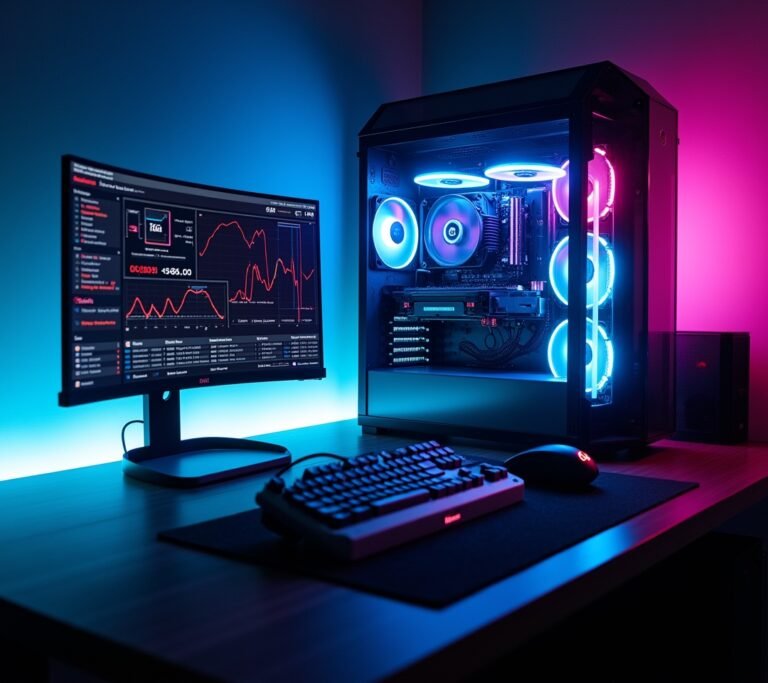
Before you buy anything, download a free tool like UserBenchmark or use the built-in Windows Task Manager to monitor your system performance while gaming. You want to see what’s maxing out — is it your CPU, GPU, RAM, or maybe even your storage speed? Once you know your bottleneck, you can actually make a smart upgrade decision instead of just guessing.
The GPU: Usually the Biggest Bang for Your Buck
Let’s be real. Your graphics card is the heart of your gaming experience. If you’re rocking something that’s three or four generations old, upgrading your GPU will probably give you the most noticeable improvement in frame rates and visual quality.
I recently swapped out my aging NVIDIA GTX 1660 for an RTX 4070, and honestly, it felt like playing on a completely different machine. But here’s a tip I learned the hard way — always check that your power supply unit can handle the new card. My buddy fried his PSU because he didn’t bother checking the wattage requirements. Don’t be that guy.
RAM and Storage: The Underrated Upgrades
People obsess over GPUs and CPUs, which I get. But adding more RAM or switching to an NVMe SSD are some of the cheapest and most effective gaming hardware upgrades you can make.
If you’re still running 8GB of RAM in 2025, you’re gonna have a bad time with modern titles. Bumping up to 16GB — or even 32GB if you multitask — is relatively affordable and can eliminate those annoying stutters during gameplay. I spent like $45 on a RAM upgrade last year, and it honestly felt like a whole new PC.
And storage? Oh man. Switching from a traditional hard drive to an NVMe SSD cut my game load times in half. Seriously, half. It was one of those moments where I actually said “whoa” out loud to nobody in my office.
Don’t Forget the Boring Stuff

Nobody wants to talk about power supplies, thermal paste, or case fans. I get it — they’re not sexy. But they matter more than you think when it comes to PC gaming performance and longevity.
A couple years ago, my PC kept throttling during long gaming sessions. Turns out, my thermal paste had basically turned to dust after four years. Reapplying it dropped my CPU temps by almost 15 degrees. That’s free performance just sitting there waiting for you.
Also, invest in decent airflow. A couple of quality case fans from Noctua can keep your upgraded components running cool and lasting longer. It ain’t glamorous, but it works.
Your Next Move Starts Here
Look, upgrading gaming components doesn’t have to be overwhelming or expensive. Start by identifying your bottleneck, prioritize the upgrade that gives you the most performance per dollar, and don’t ignore the basics like cooling and power. Every build is different, so what worked for me might not be exactly right for you — and that’s okay.
One important thing: always ground yourself before handling components to avoid static damage. It sounds paranoid until it happens to you. Trust me on that one.
If you found this helpful and want more tips on building, upgrading, and getting the most out of your setup, make sure you check out more posts over at Voltzora. We’ve got plenty more where this came from!